
Feature01
Make projects visible
Projects in your region are collected and brought together with the details that matter.
Instead of scattered research, a system: projects are collected, placed geographically and ranked by relevance for your sales team.
It works exactly as long as somebody has time for it.
The information sits across many sources and in different shapes.
Research is the first task to slip when the day gets busy.
What is found lands in a spreadsheet and goes stale there.
Without a relevance ranking, sales works the list from the top instead of by opportunity.
The sources are collected regularly and brought into one shape.
Every project gets a location; the catchment area is yours to set.
Sorting is by fit with what you offer, not by the date it appeared.
The result is usable for outreach as it stands.
Publicly scattered information becomes one list you can rely on.
Projects in your region are collected and brought together with the details that matter.
You set the catchment area – anything outside it never shows up in the first place.
Projects are sorted by fit with what you offer, not just by date.
One pass that can run again every day.
Cyan: system steps
Anything outside your radius or your offering never enters the list in the first place.
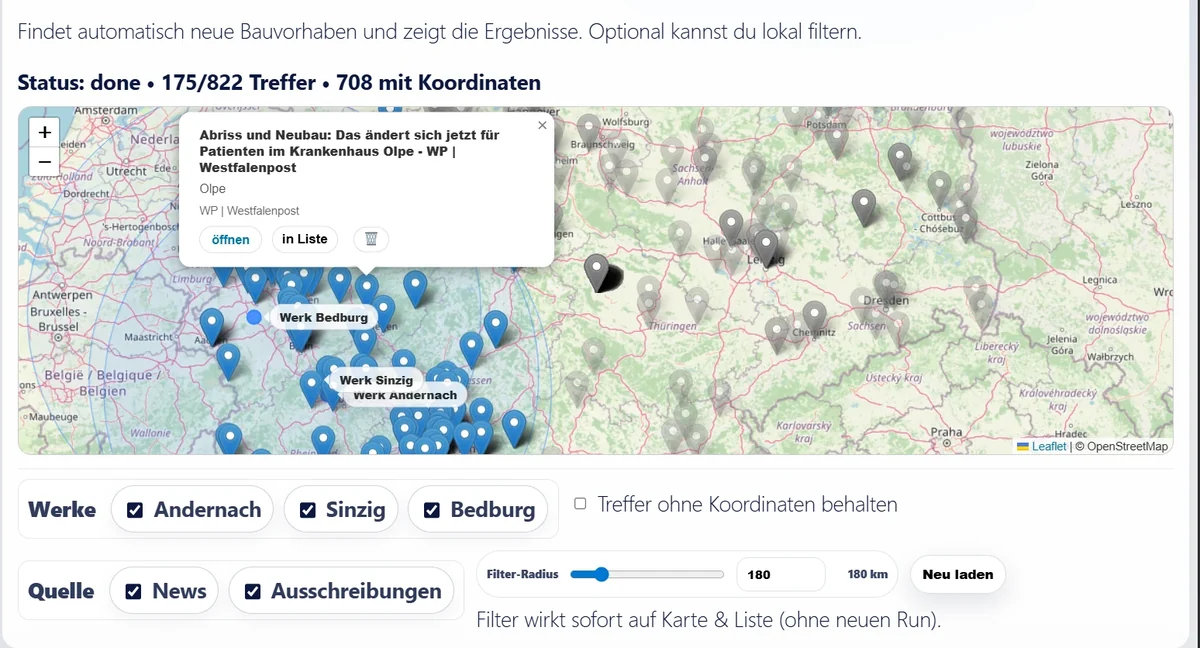
Four steps that can run again every day.
Scattered sources are gathered and brought into one shape.
Every project gets a location.
Your criteria filter and rank the results.
What remains can be used for outreach directly.
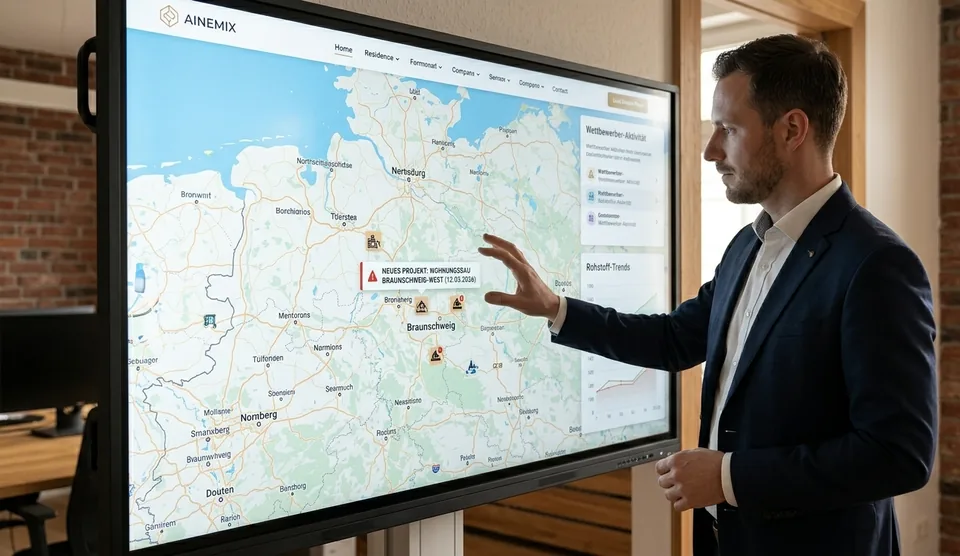 AI image
It does not replace outreach. It tells you who to call, not what to say.
It finds only what is documented somewhere publicly – not what is still in someone’s head.
With a very tight radius in a sparsely built region the list stays short. That is not a weakness of the tool.
The pass can run daily. How current the information itself is depends on the source – we show that alongside.
Yes. Radius and criteria are settings, not hard-coded logic.
On request, yes. The connection is the same building block as with the other systems.
We evaluate publicly available information. Exactly which sources is put in writing.
Then the radar usually pays for itself within the first quarter.